How does the ZALORA VIP auto-renewal feature work?
IF YOU USED A CREDIT CARD/DEBIT CARD TO PAY FOR YOUR ZALORA VIP SUBSCRIPTION, BY DEFAULT YOU ARE SIGNED UP FOR AUTO-RENEWAL. THIS MEANS THAT ONCE YOUR SUBSCRIPTION EXPIRES, YOU WILL AUTOMATICALLY BE RE-SUBSCRIBED FOR ANOTHER YEAR WITH THE SAME P599 FEE. YOU'LL RECEIVE A REMINDER E-MAIL ABOUT THIS AUTO-RENEWAL ONE (1) MONTH BEFORE YOUR CURRENT SUBSCRIPTION EXPIRES.
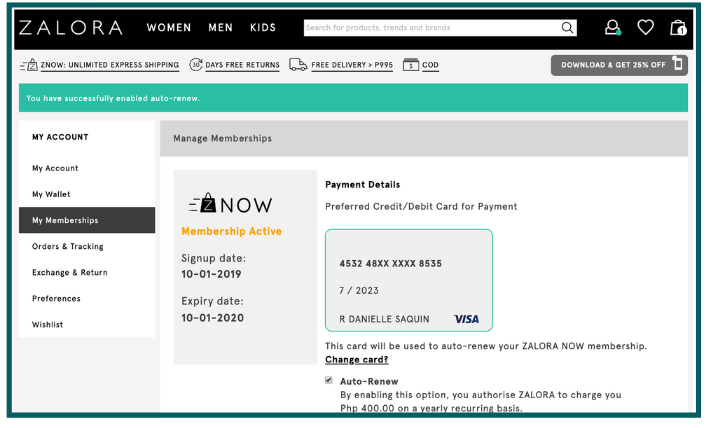
But don't worry! You can opt out of auto-renewal at any time by going to My Account > My Memberships. If there's a ZALORA VIP promotion at the time of the auto-renewal, you'll be renewed at the promotional price!
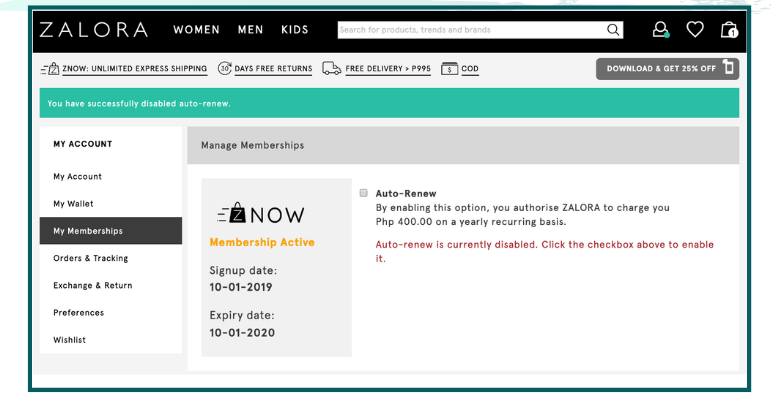
If you used Cash on Delivery, Paypal, or Gcash to pay for your ZALORA VIP subscription, you can choose to opt into auto-renewal by going to My Account > My Memberships. You will be asked to input a Credit Card/Debit Card or choose one from your existing account, where the subscription fee will be charged to.
Was this article helpful?
That’s Great!
Thank you for your feedback
Sorry! We couldn't be helpful
Thank you for your feedback
Feedback sent
We appreciate your effort and will try to fix the article